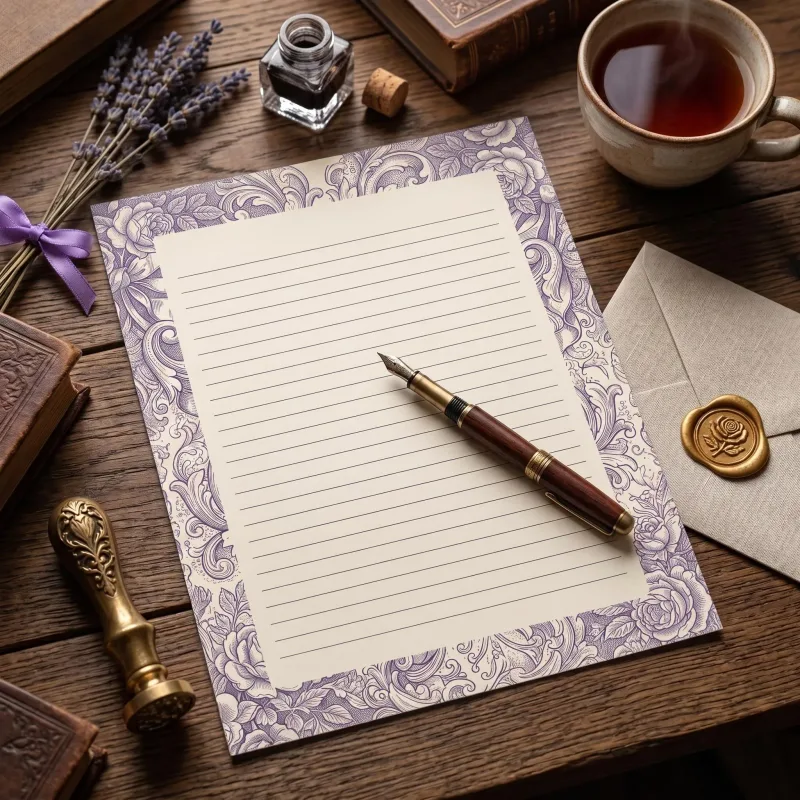
You've downloaded your printables. This guide covers everything between the download and a sheet you're happy with: which paper to use, how to set up your printer, and when a print shop is the better choice.
Before you print
- Pick the right size. Choose the paper size you print on: US Letter (8.5 × 11 in) for North America, A4 for most other countries, and 12 × 12 in or 5 × 7 in where included. Download only the size you need.
- If your download is a zip, unzip it first. Planner pages download as single PDFs that open straight away; other sets come in a zip. On Windows, right-click the zip and choose Extract All. On a Mac, double-click it. On an iPhone, save it to the Files app and tap it. On Android, open it in your Files app and tap Extract.
- Print at Actual size (100% scale). In the print dialog, turn off "Fit to page" or "Shrink to fit", otherwise borders get cropped or stretched.
- Print one test page. Check the colors and margins before printing a full set.
Letter-writing stationery
- Paper: bright-white printer paper, 24–32 lb (90–120 gsm). It shows the colors well, is pleasant to write on, and folds neatly into an envelope. Standard 20 lb (75 gsm) copy paper works too, but ink can show through.
- Avoid glossy paper. Pen ink smudges and beads on it. Matte or uncoated paper is best for writing.
- Test your pen on a spare printed sheet first, especially gel pens and fountain pens.
- Double-sided sheets (a lined front with the full pattern on the back): print the front, then put the sheet back in the tray and print the back. Mark one test sheet with a pencil arrow first so you know which way your printer feeds.
- Choosing a paper? Our guide to the best paper for letter writing goes through weight, finish and color.
Junk journal pages and ephemera
- Pages you'll write or glue on: matte printer paper, 24–32 lb (90–120 gsm).
- Covers, tags, pockets and ephemera: light cardstock, 65–80 lb (176–216 gsm).
- Matte beats glossy for glue, stamps, ink and paint.
- For a vintage look, print on cream or natural paper instead of bright white.
Cards and invitations
- Flat cards and invitations (2.5 × 3.5, 3 × 4, 4 × 6 or 5 × 7 in): cardstock, 80–110 lb (216–300 gsm), so the card stands up and feels substantial.
- Several cards to a sheet: cut them apart on the crop marks with a paper trimmer, lining the blade up with a pair of marks.
- Folded cards: lighter cardstock, 65–80 lb (176–216 gsm), because heavier card tends to crack along the fold. Score the fold first with a bone folder or the back of a butter knife along a ruler, then fold with the picture on the outside. The inside stays blank for your message.
- Folded 5 × 7 in on US Letter: trim on the corner marks first, then fold on the marks in the middle. Folded A5 on A4: fold the sheet in half, no cutting.
- 7 × 10 in card blanks (pre-scored): set the paper size to 7 × 10 in in the print window, then fold on the score.
- Envelopes: a 2.75 × 3.75 in mini envelope for 2.5 × 3.5 in cards, a 4bar envelope (3.625 × 5.125 in) for 3 × 4 in cards, A6 for 4 × 6 in, A7 for 5 × 7 in and C5 for A5.
- Check your printer's maximum paper weight. Many home printers take light cardstock through the rear or manual feed tray, one sheet at a time.
12 × 12 in digital paper
- Most home printers can't print 12 × 12. For full size, use a print shop. At home, print the papers scaled to fit US Letter or A4; they're 300 DPI, so they stay crisp when scaled down.
- Cardstock suits scrapbook layouts and cards; thinner paper suits gift wrap, decoupage and envelope liners.
- They also work digitally, as backgrounds in your design, planner or note-taking app.
Printing at a print shop
- Bring the PDF or PNG files on a USB stick, or upload them to the shop's website.
- Ask for actual size / no scaling and color printing, and say which paper or cardstock weight you want.
- For full-bleed designs (color to the very edge), ask them to print on larger paper and trim.
Borders and margins
Most home printers leave a small white margin around the edge. If your printer has a borderless setting, use it for full-pattern pages; otherwise trim the edge with a paper trimmer, or simply keep the margin. On lined pages the margin isn't noticeable.
Still stuck?
If a file won't open or something doesn't print right, contact us and we'll help. If you bought on Etsy, you can also message the shop there.
Join NylaLand
Enjoying Our Creative Journal & Blog?
Become a member today to unlock our full digital stationery vault, seasonal pattern collections, and exclusive perks.